 Drakard
Path of Exile 2 crafting simulator
Drakard lets you practice currency actions on simulated items, estimate the chance of hitting supported modifiers and plan what to do after each outcome. These tools are part of the Windows desktop app in private testing.
Practice a roll or check its odds
- Pick an item base and item level. Set the starting modifiers to match the item you want to craft.
- Try the action in the Crafting Emulator. Apply supported currency to the simulated item and inspect the result in the crafting history.
- Check the target in the Crafting Calculator. Select the action and the modifiers you want to hit. The displayed odds depend on the starting item, supported action rules and available modifier weights.
Where weights are unavailable, the in-game chance is unknown. Even with modeled odds, individual outcomes can vary.
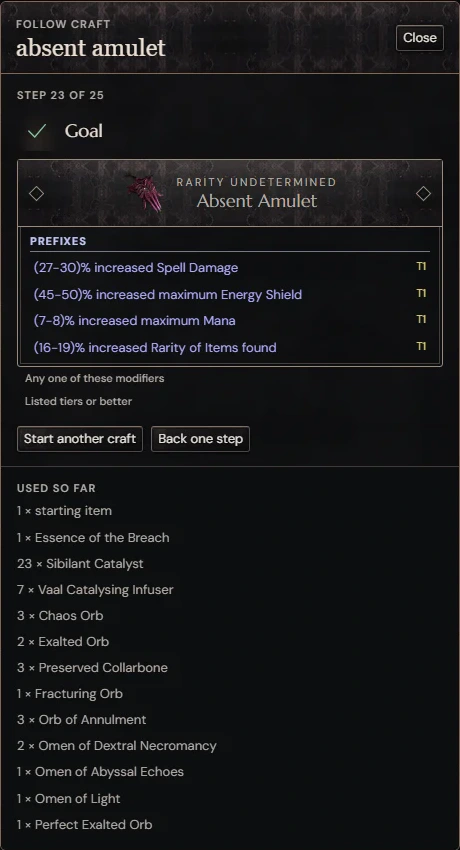
Worked example with the Absent Amulet
- Start with a level 80 Absent Amulet. Use Essence of the Breach to raise the quality cap, then Sibilant Catalysts to reach 40% quality.
- Use the Vaal Catalysing Infuser to aim for 50% quality. Follow Craft lets you continue after a successful step or record that the base was corrupted.
- Roll tier-one Spirit and prepare the item for a Fracturing Orb. The method continues if Spirit fractures and ends the attempt if a different modifier fractures.
- The targeted replay reached the goal in 46 currency uses, with fractured Spirit, Cast Speed, increased Energy Shield and +3 to all Spell Skills displayed as +4 at 50% quality.
The 46 uses are the result of one targeted replay. The replay does not establish an average cost or a chance of success.